Introduction
In the world of electronics, Printed Circuit Boards (PCBs) play a crucial role in providing a platform for components to connect and communicate effectively. Understanding the basics of PCB design is essential for anyone looking to create efficient and functional electronic devices.
This article covers the fundamental concepts and considerations that every PCB designer should be aware of, from board types to design tools and best practices.
Understanding PCBs
What is a PCB?
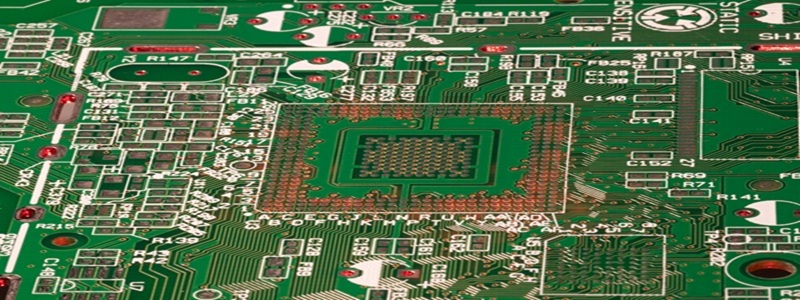
- A Printed Circuit Board (PCB) is a flat board made of non-conductive substrate material that serves as a base for mounting electronic components
- The board features a network of conductive pathways (traces) that connect various components and allow the flow of electricity
- PCBs provide mechanical support and electrical connections between components
Types of PCBs
- Single-sided PCB: Components are mounted on one side of the board with conductive traces on the opposite side
- Double-sided PCB: Components can be mounted on both sides with connecting traces on both surfaces
- Multi-layer PCB: Consists of multiple layers of conductive material sandwiched between insulating layers for complex circuits
- Flexible PCB: Made of flexible plastic materials for applications requiring bending or folding
- Rigid-Flex PCB: Combines rigid and flexible substrates for three-dimensional packaging
Design Considerations
Component Placement
- Functional grouping: Place related components close together to minimize trace lengths
- Thermal management: Position heat-generating components with adequate spacing and cooling
- Signal flow: Arrange components to follow the logical signal path of the circuit
- Manufacturing requirements: Consider assembly and soldering requirements during placement
Trace Routing
- Trace width: Determine appropriate widths based on current requirements
- Signal integrity: Route sensitive signals first and keep them short
- Crosstalk prevention: Maintain proper spacing between traces
- Impedance control: Match trace dimensions to required impedance values
- Routing angles: Use 45° angles instead of 90° for better signal integrity
Power and Ground Planes
- Dedicated planes: Use entire layers for power and ground when possible
- Decoupling: Place decoupling capacitors near power pins
- Partitioning: Separate analog and digital ground planes
- Via placement: Use multiple vias for connections to planes
PCB Design Tools
CAD Software
- Professional-grade: Altium Designer, Cadence Allegro, Mentor Xpedition
- Mid-range: Autodesk Eagle, KiCad (open source), DipTrace
- Features to consider: Schematic capture, PCB layout, 3D visualization, design rule checking
Simulation Software
- Circuit simulation: LTspice, NI Multisim, Proteus
- Signal integrity: HyperLynx, Sigrity
- Thermal analysis: FloTHERM, Ansys Icepak
- EMI/EMC analysis: CST Studio Suite, ANSYS HFSS